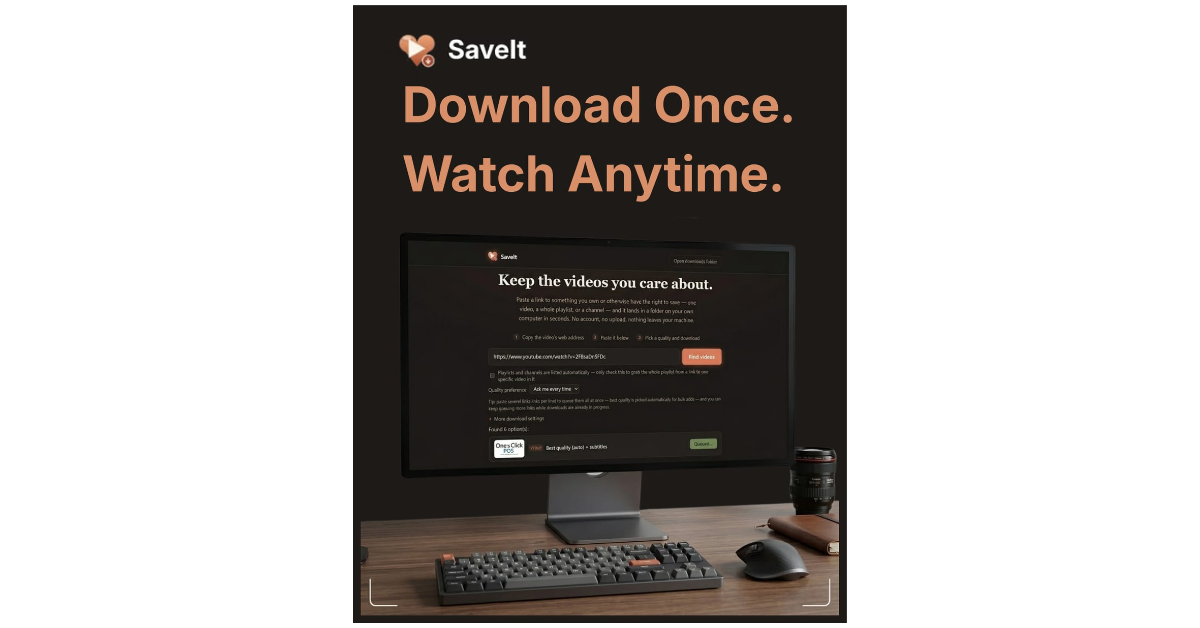

SaveIt
Your videos disappear the moment the platform decides they should. SaveIt keeps a real, local copy — one link, one click, nothing leaves your computer.
The Problem
A video you actually care about lives on someone else’s server, under someone else’s rules. Accounts get suspended, videos get taken down, “unavailable in your country” happens without warning, and a creator’s whole channel can vanish overnight. None of that is rare — it just never feels urgent until the moment the video you wanted is already gone.
The usual workarounds aren’t great either: a browser extension that also wants ad-injection permissions, a sketchy “free downloader” site plastered in pop-ups, or a command-line tool that assumes you’re comfortable with a terminal. SaveIt is none of that — paste a link, pick a quality, get a real file on your own drive, done.
How it works
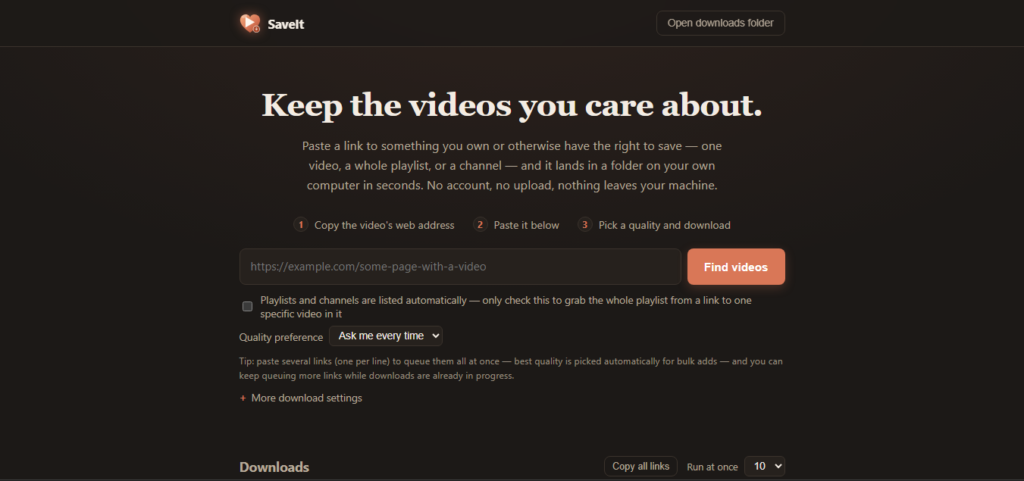
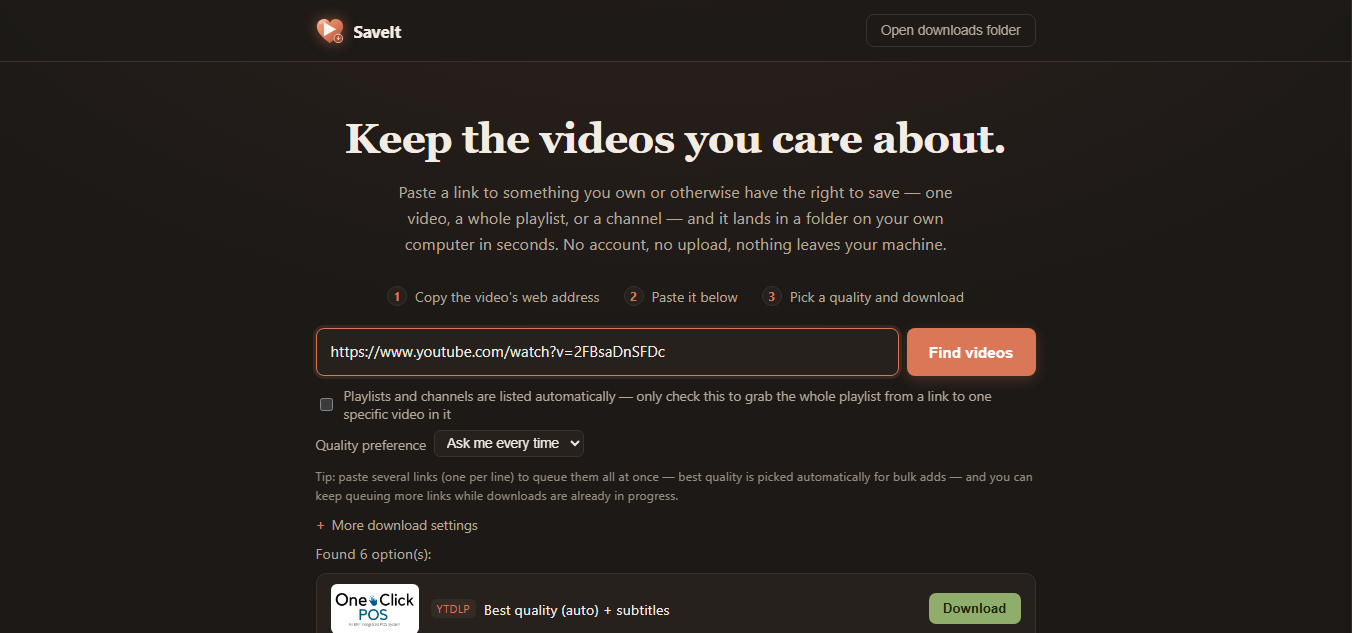
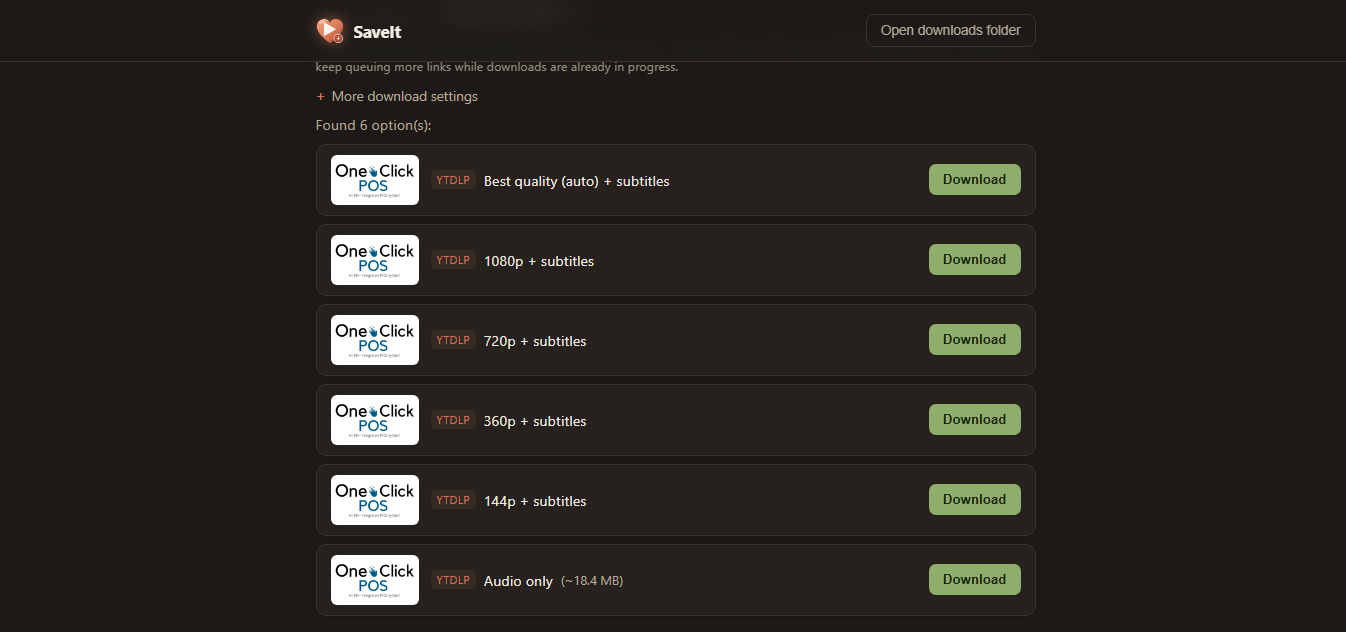
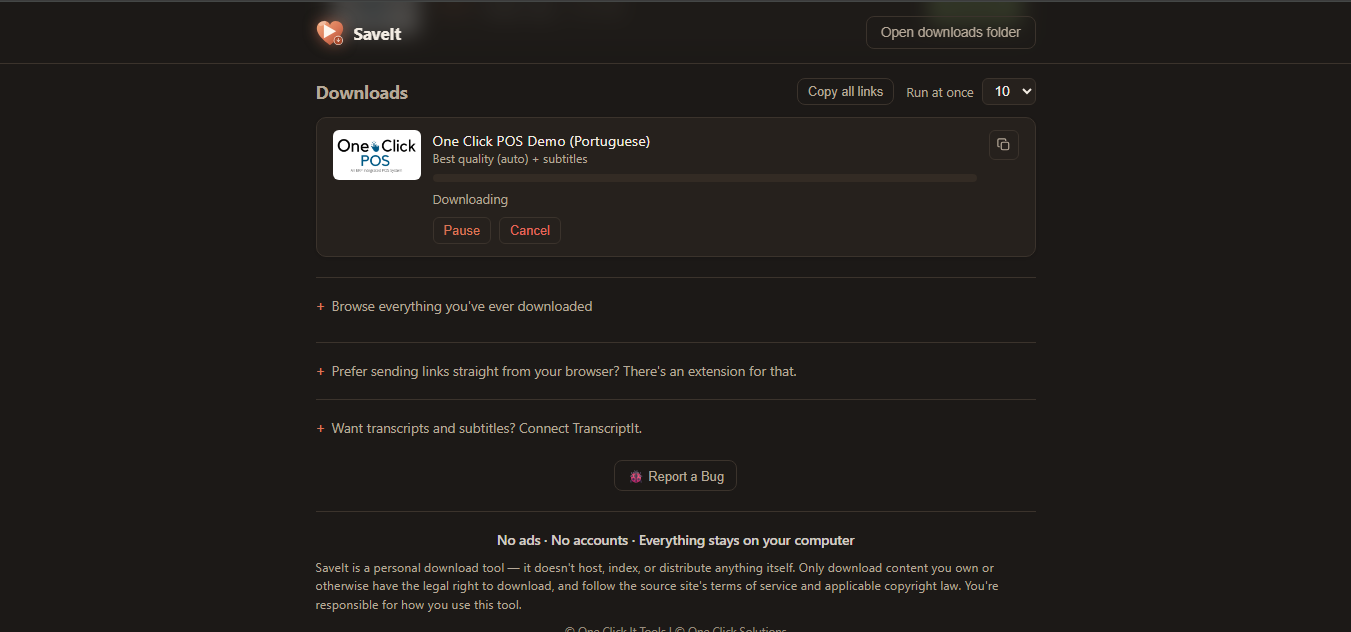
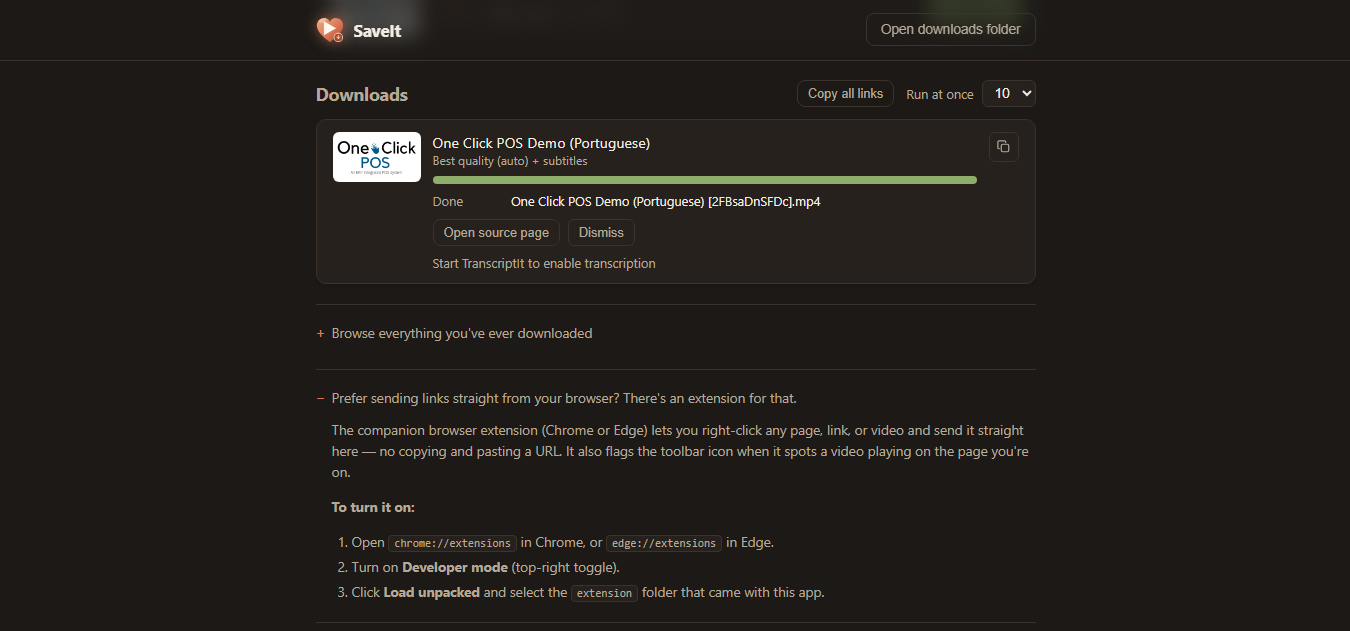
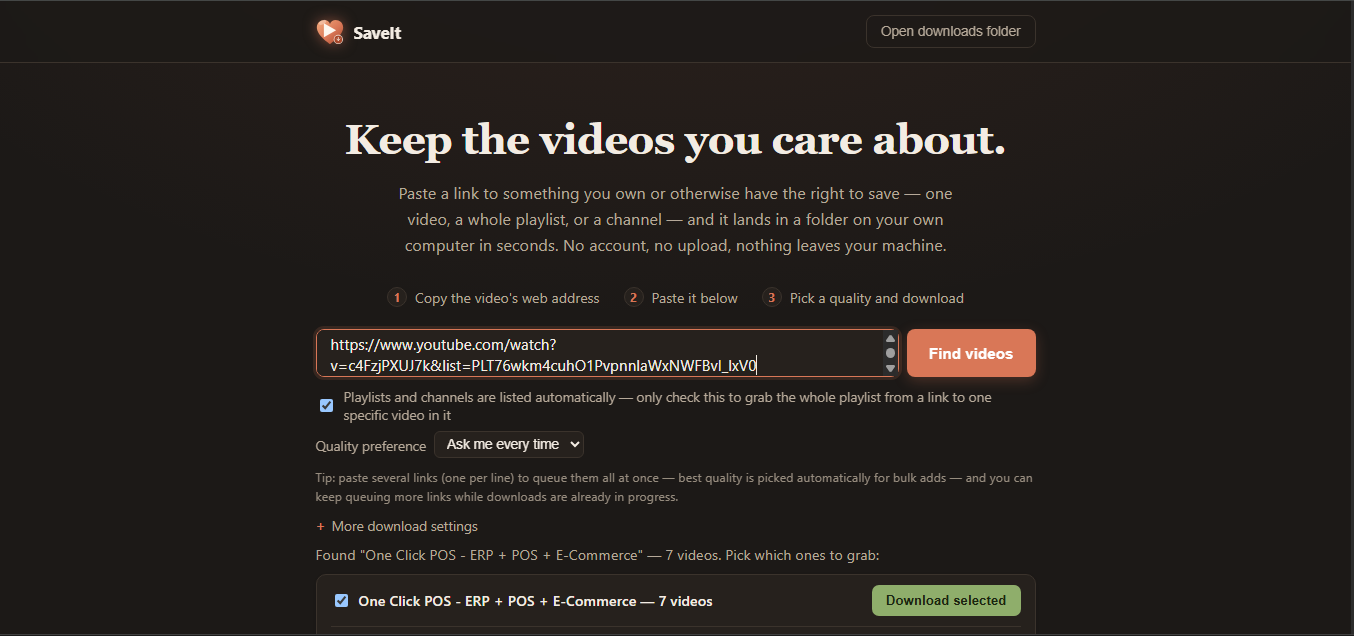
Paste a link, hit Find videos, and pick a quality from the results — SaveIt handles single videos, whole playlists, and entire channels the same way. Everything shows live, real progress the whole way through: percentage, downloaded/total size, current speed, and a time-remaining estimate — never a frozen spinner wondering if it’s actually doing anything. Every non-audio download gets merged and converted to a clean .mp4 automatically, regardless of the source format, so what lands in your folder always just plays.
What it covers?
-
SaveIt tries four different ways to find a video before giving up, so it isn’t limited to one video site.
- Hundreds of sites — YouTube, Vimeo, and hundreds more through the same detection engine serious download managers use, with real quality options (HLS/DASH streams included).
- Sites without a known extractor — a direct scan of the page’s own video tags and embedded links catches plenty of sites that aren’t on that list.
- JavaScript-only players — as a last resort, a real headless browser loads the page itself and catches the video the same way the browser you’re already using would.
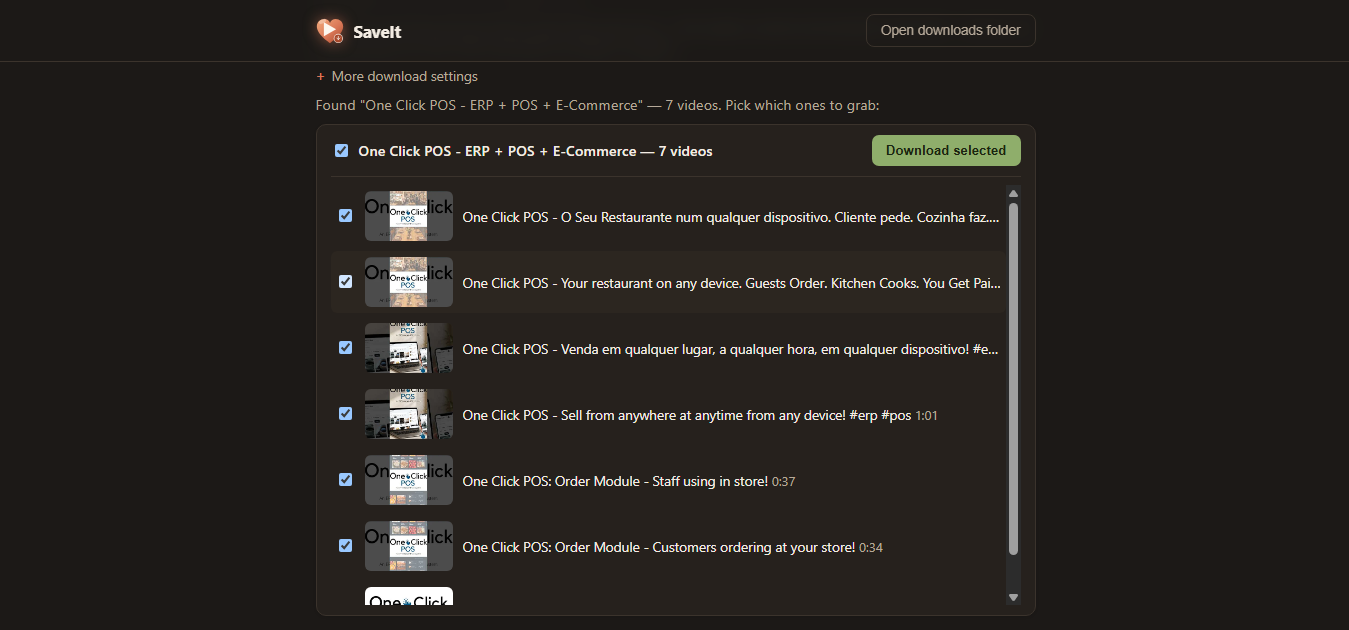
- Playlists and channels, automatically detected — no toggle to remember. Every video lists with its own thumbnail so you check off exactly the ones you want (or grab all of them in one go), downloaded in order into a folder named after the playlist.
- Paste several links at once — one per line, each queued immediately at your saved quality preference.
- Pick your quality once, skip the picker forever — pin best/1080p/720p/480p/audio-only, or leave it on “ask every time.”
- Pause, resume, or cancel any download in progress — cancelling keeps the partial file rather than throwing it away, and always asks first so a misclick can’t wipe out something you’d rather keep.
- Run several downloads at once — 1, 2, 3, 5, or 10 at a time, your call.
- Subtitles pulled in automatically whenever the source has them.
- A searchable library of everything you’ve ever downloaded, with one click back to the file or the original link, plus an optional “sort into folders by channel or date” setting for anyone who wants their downloads organized as they go.
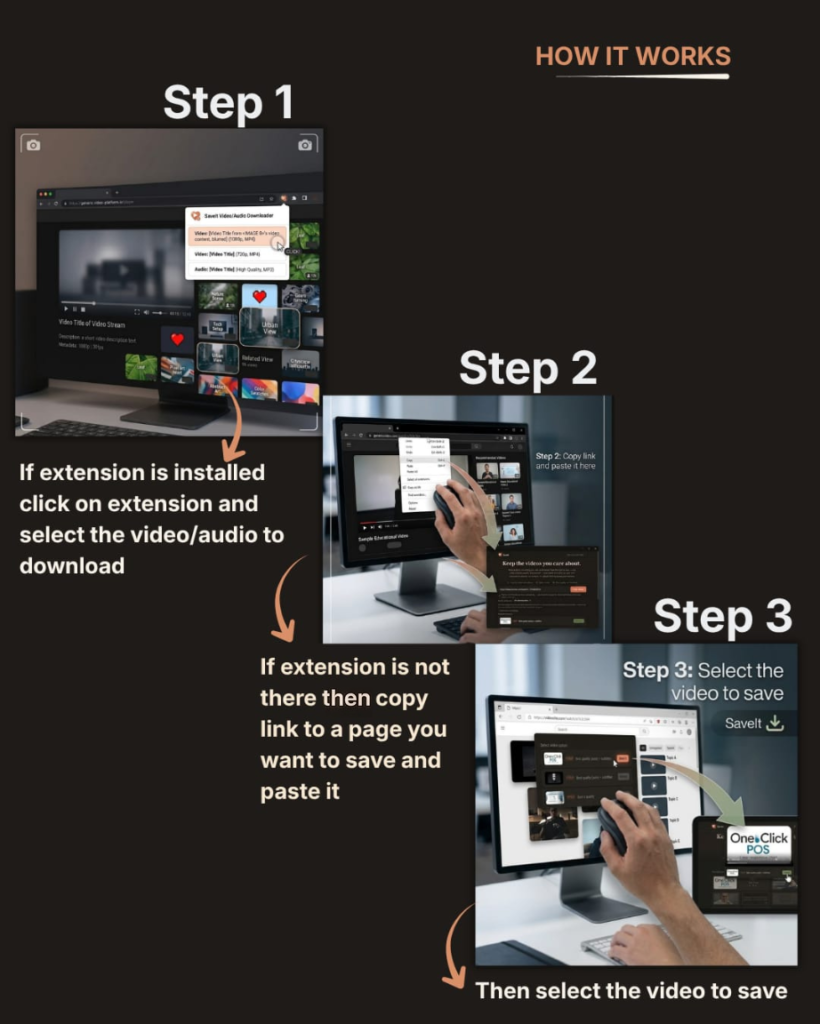
- A companion browser extension for Chrome and Edge — right-click any page, link, or video and send it straight to SaveIt, or let it passively catch videos as you browse and grab them from a small popup. It launches SaveIt on its own if it’s closed, and respects Incognito mode properly — nothing from a private window ever gets written to disk.
Runs on your PC, not someone else's server
SaveIt doesn’t have an account, a cloud, or any telemetry. Every link you paste, every video you download, stays entirely on your own machine — nothing is ever uploaded anywhere. The only thing SaveIt ever reaches out for is checking whether a newer version of its detection engine is available, so it keeps working as sites change their pages — and even that never happens without you clicking “Update now” yourself.
Free Version
Not ready to commit? Try SaveIt Free. Paste links, browse playlists, and pick qualities as much as you want — completely unlimited. The only thing capped is actually downloading: 3 free downloads every day, forever, no credit card required. Queue up a whole playlist past that limit and everything still lists and lines up — the rest just start on their own the moment tomorrow’s count resets, no re-adding anything. Upgrade to the full version any time and pick up exactly where you left off — same app, same history, nothing to redo.
Pricing
R454.99~$27.99. One time. No subscription, no recurring charge, and every future update is free for as long as you own it. Licensed for one PC — using it on a second PC needs its own license, and if you need several (a small team, a shared office computer), get in touch rather than buying one-by-one.
FAQ
Is there a free version? Yes — SaveIt Free lets you paste links, browse playlists, and pick qualities with no limit at all. The only cap is 3 downloaded videos per day; anything past that stays visibly queued, ready to go the moment tomorrow’s count resets.
Is this a subscription? No — it’s a one-time $27.99 purchase, and every future update is free.
Does one purchase cover all my computers? A license covers one PC. If you use SaveIt on a desktop and a laptop, that’s two licenses. Need it on several machines at once — a small team, a shared office computer? Get in touch rather than buying licenses one at a time.
What sites does it work with? YouTube, Vimeo, and hundreds of others through its built-in detection engine, plus a direct page scan and a headless-browser fallback for trickier, JavaScript-only players. If a site shows you a video in your browser, SaveIt can very likely catch it.
Does it handle playlists and whole channels? Yes — paste a playlist or channel link and every video lists automatically with its own thumbnail, so you pick exactly which ones to grab.
Is my data safe — does anything get uploaded anywhere? No. SaveIt runs entirely offline. There’s no account and no cloud step; nothing you paste or download ever leaves your computer.
Is it legal to use? SaveIt is a personal download tool — only download videos you own or otherwise have the right to keep, and follow the source site’s terms of service and applicable copyright law. You’re responsible for how you use it.
Why does Windows show a blue warning when I run the installer? That’s Microsoft SmartScreen flagging that we’re a small, independent publisher rather than a large signed vendor — it’s not a sign of a security problem. Click “More info,” then “Run anyway” to continue.
What do I need to run it? Windows 10 or 11, 64-bit. There’s nothing else to install first — SaveIt bundles everything it needs, including the browser extension.
Related Posts
Discover more from One Click Solutions
Subscribe to get the latest posts sent to your email.
One comment
Leave a CommentPingback:One Click It Tools - Yours. Offline. Private. - One Click Solutions