
One Click It Tools – Yours. Offline. Private.

Meet One Click It Tools: Windows Software You Actually Own

Another month, another subscription renewal. Another app asking to “sign in to continue.” Another tool that needs your files uploaded to someone’s cloud before it’ll do anything useful.

If that sounds familiar, One Click It Tools was built for you.

It’s a small family of Windows programs that each do one job well — saving videos, cleaning up your PC, transcribing audio, converting files, sorting through old photos — and none of them ask you to subscribe, sign up, or send your files anywhere. You buy it once. It’s yours. It runs on your computer, not someone else’s server.

What "One Click It Tools" actually means

Three simple rules every tool in this lineup follows:

  • Yours for life. One-time purchase, no subscription, no recurring fee. Buy it once and it’s yours — including free updates within the same major version.
  • Nothing leaves your computer. Every tool runs entirely offline. No account, no cloud upload, no “syncing your data” in the background.
  • One click, not a manual. Built for people who just want the thing done — not for people who enjoy reading documentation first.

The toolbox

Five tools so far, each solving one specific, everyday headache.

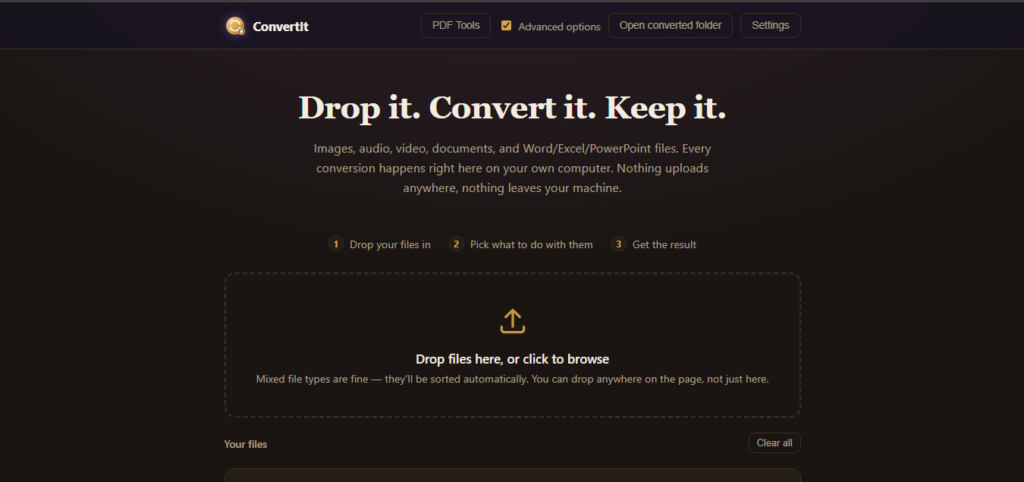
ConvertIt — one converter for everything

Images, audio, video, documents, PDFs, even Word/Excel/PowerPoint files — converted right on your computer, with nothing uploaded anywhere.

  • Merge, split, and search PDFs — including turning scanned pages into searchable text
  • Converts Office documents (Word, Excel, PowerPoint) to and from PDF
  • One drag-and-drop app instead of a different sketchy website for every file type
ConvertIt in action

SwipeIt — decluttering that doesn’t feel like a chore

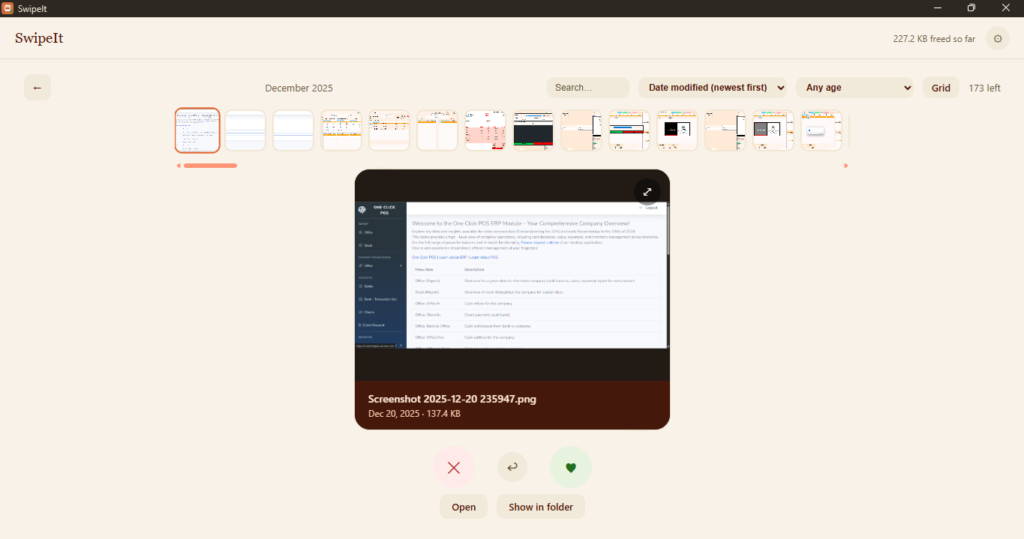
A Tinder-style swipe deck for your photos, videos, and documents: swipe right to keep, left to mark for deletion. Nothing is actually deleted until you review and confirm — so it’s fast and impossible to regret.

  • Finds duplicate photos automatically and shows you which copy to keep
  • Every delete goes through the Recycle Bin by default
  • Session picks up right where you left off, even across a huge library
SwipeIt in action

SaveIt — for the video you don’t want to lose

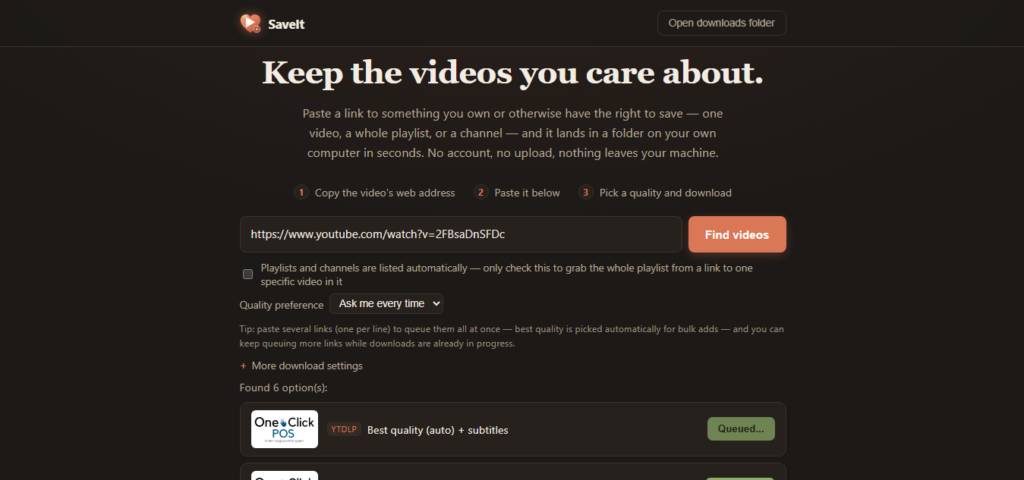
Found a video you actually care about, and worried it’ll be gone tomorrow — a broken link, a deleted upload, a platform that decided you can’t have it anymore? SaveIt keeps a copy on your own computer, for good.

  • Paste a link, pick a quality, done — playlists and channels work too
  • Pause, resume, and retry downloads without starting over
  • A companion Chrome extension that can grab video straight from the page you’re already on
SaveIt in action

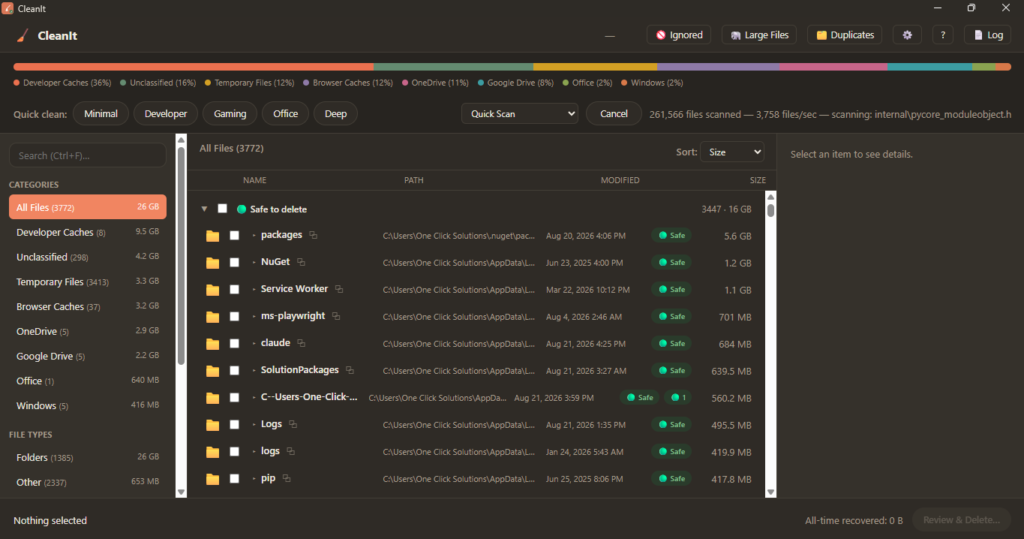
CleanIt — a PC cleaner that explains itself

Most cleanup tools either show you file sizes and leave the guessing to you, or delete things by pattern and hope for the best. CleanIt tells you what something is, why it’s safe (or not) to remove, and what you’d lose if you deleted it — before you ever click confirm.

  • Four-tier verdicts (Safe, Probably Safe, Needs Review, Do Not Touch) with a plain-language reason for each
  • Defaults to the Recycle Bin, never guesses something is safe to delete
  • A one-click Quick Scan for the everyday stuff — caches, leftovers, the Recycle Bin
CleanIt in action

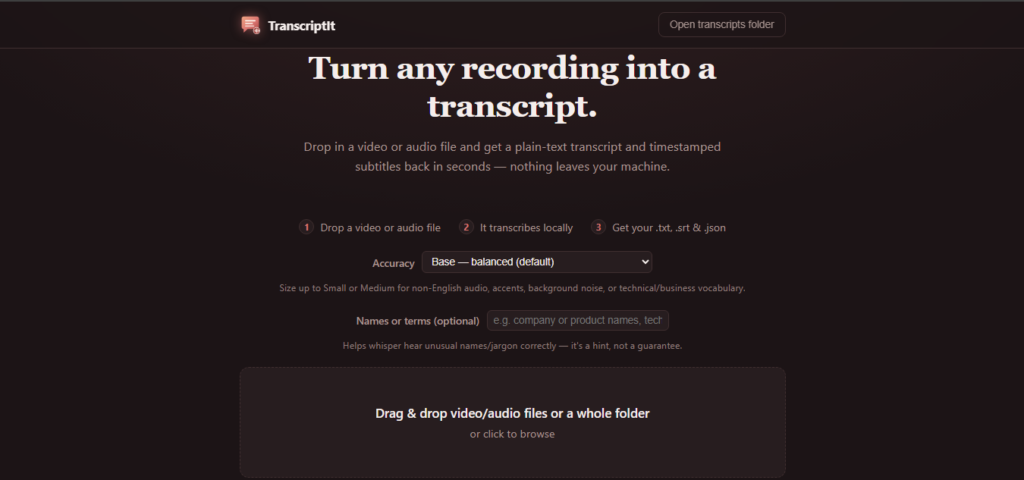
TranscriptIt — turn any recording into words you can search

Drop in a video or audio file and get back a transcript, timestamped subtitles, and a translation into any of ~100 languages — all processed on your own machine.

  • Plain .txt transcript, timestamped .srt subtitles, and a raw .json if you need it
  • Translate the result into the language you actually need
  • Works hand-in-hand with SaveIt — transcribe a video right after downloading it
TranscriptIt in action

Built for people who don't want to think about software

You shouldn’t need to know what an API key is, or where your AppData folder lives, or read a manual before you can use a program you paid for. Every tool in this lineup is built around a native file picker instead of a path you have to type, plain-language messages instead of error codes, and a visible button instead of a setting you have to go hunting for.

Frequently asked questions

Is this a subscription? No. Every tool is a one-time purchase — pricing to be announced. Buy it once, and it’s yours, including free updates within the same major version.

Do I need an internet connection to use these? No. Every tool runs entirely offline, right on your computer. Nothing you feed into any of these tools gets uploaded anywhere.

Is my data safe? Since nothing leaves your computer, there’s nothing to leak, subscribe to, or get hacked out of a cloud server. You’re always in control of your own files.

Windows shows a warning that says “Unknown publisher” when I try to install — is this safe? Yes. That warning (from Windows SmartScreen) appears for any small, independent software publisher that hasn’t paid for a certain type of paid certificate — it’s not a sign of a virus or a security problem. Click “More info”, then “Run anyway” to continue installing.

Which tool do I actually need? If you want to save a video before it disappears, that’s SaveIt. Free up space on a slow PC, that’s CleanIt. Turn a recording into text, TranscriptIt. Convert between file formats, ConvertIt. Sort through a huge pile of photos and files, SwipeIt. Most people end up using more than one.

Do the tools work together? Some do — for example, SaveIt can hand a finished download straight to TranscriptIt to generate a transcript, with no re-uploading or extra steps.

One Click It Tools

Get started

One Click It Tools is a growing family of simple, honest Windows software — buy it once, own it for life, and never wonder where your files ended up.


Discover more from One Click Solutions

Subscribe to get the latest posts sent to your email.

Leave a Comment

Your email address will not be published.

You may use these HTML tags and attributes: <a href=""> <abbr> <acronym> <b> <blockquote cite=""> <cite> <code> <del datetime=""> <em> <i> <q cite=""> <strike> <strong>

Send a Message

Discover more from One Click Solutions

Subscribe now to keep reading and get access to the full archive.

Continue reading